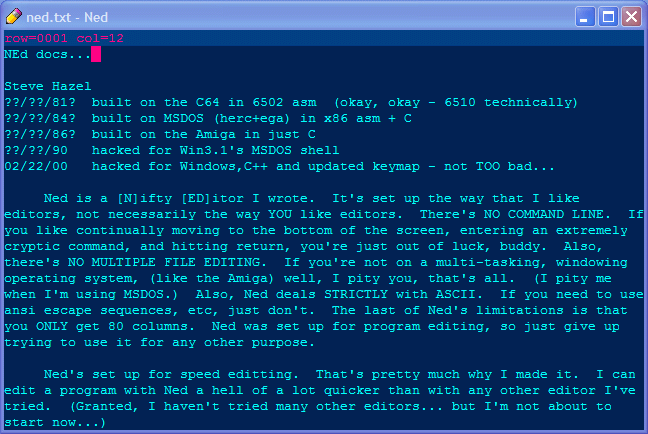
NEd is built for me. You may have limited success with it.
Just warnin ya...
I've used it EVERY time i've sat down to REALLY write some code.
Below is the keymap. Below that, the commands described
(in excruciating detail).
KeyMap
 CTL u    Up
 CTL m    Dn
 CTL j    Rit
 CTL h    Lft
 CTL y    PgUp
 CTL n    PgDn
 CTL '    WrdRit
 CTL /    WrdEnd
 CTL ;    WrdLft
     UP   Up
     DN   Dn
     RIT  Rit
     LFT  Lft
     HOM  Top
     END  Bot
     PUP  PgUp
     PDN  PgDn
     INS  TglOver
 CTL k    Del
     DEL  Del
     BSP  Lft Del
     TAB  Tab
 CTL 8    Cntr
     RET  Rtrn
 CTL RET  Split
 CTL ,    DelRow
 CTL o    DelWrdRit
 CTL i    DelWrdLft
 CTL p    PutBlk
 CTL [    BlkBgn PutBlk
 CTL ]    BlkEnd PutBlk
 CTL a    BlkAll PutBlk
 CTL 0    BlkRit
 CTL 9    BlkLft
 CTL BSP  BlkDel
 CTL =    BlkCopy
 CTL -    BlkMove
 CTL \    BlkFmt
 CTL c    BlkCpy
 CTL v    BlkPst
 CTL f    Find
 CTL g    FindNxt
 CTL r    Rplc
     F01  Load
     F02  Save
     F03  SaveAs
     F06  Wipe
     F05  Quit
     ESC  Save Quit
     F11  TglSqnc
     F12  RptSqnc
 CTL ALT ,    UnDelRow
 CTL SHF SPC  UpCase Rit
 CTL     SPC  LoCase Rit
cursor commands
Rit cursor right, stop at column 80
Lft
cursor left, stop at column 1
Up
cursor up, stop at row 1
Dn
cursor down, stop at row MAX_ROW, (#define'd in Ned.h)
Top
move screen to get row 1 at the screen top
Bot
move screen to get last used row of text at the screen bottom
PgUp
move up half a screen, stop when row 1's at the top
PgDn
move down half a sceen, stop when last used row is at bot of screen
WrdRit
move to first char of next word, else end of row, else col 0 next row
WrdLft
move to first char of prev word, else col 0, else end of prev row
WrdEnd
move to first space after next word, else end of row, else col 0 of next row
insert/delete commands
TglOver
toggle overwrite mode, reflected in title bar
TglWrap
toggle wrap mode (whoops, this isn't implemented yet...)
Del
delete character under cursor, scoot stuff left
(backspace is a macro of 'Lft Del')
Tab
insert spaces up to first char of next word in prev row
Cntr
center the cursor row
Rtrn
cursor column to 1, move down a row, insert a row, indent
Split
move characters at and after the cursor to cursor pos after a Rtrn
InsRow
insert a row at the cursor, scoot cursor and following ones down
DelRow
delete cursor row, scoot following ones up
DelWrdRit
if past end of line and next row will fit at cursor, move it up
else if on a space, do Del til cursor's on a non space
else do Del til cursor's on a space
DelWrdLft
if in col 1 and row will fit at end of prev row, move it up
else if prev col of cursor is a space, do BkSpc til it's a non space
else do BkSpc til it's a space
block commands
note: all block commands work with ROW or BOX blocks.
if BlkBgnCol == BlkEndCol, you are specifying a ROW block: all cols are used.
otherwise, you are specifying a BOX block, only the specified cols are used.
PutBlk
flash the current block location on the screen
(block is colored for a short time, then restored to normal color)
BlkBgn
set block's top left corner (BlkBgnCol and BlkBgnRow)
BlkEnd
set block bottom right corner (BlkEndCol and BlkEndRow)
BlkAll
select all the text
BlkRit
BOX: shift box right. doesn't do it if left col has non spaces
ROW: shift whole row.
BlkLft
BOX: shift box left. doesn't do it if right col has non spaces
ROW: shift whole row.
BlkDel
BOX: delete columns marked, but rows not lost.
ROW: delete the rows marked.
BlkCopy
BOX: copy the marked cols. (top left corner to where the cursor is)
ROW: copy the marked rows. (insert in front of cursor row)
BlkMove
BlkCopy, then BlkDel
BlkFmt
BOX: arrange marked rows into paragraph format, using the block cols
as margins.
ROW: use 1 and 80 as margins.
BlkCpy
clipboard copy (box or row block)
BlkPst
clipboard paste (single line if it fits, else row block)
find/replace commands
Find
prompt for a find string, find it (starting from cursor location)
ReFind
find last string prompted for
Rplc
find&replace thru whole file. when prompted, press y to replace,
n to skip, q to quit. restore cursor.
IO commands
Wipe
clear out all the text in memory. (UnDelRow info gets cleared too)
Name
rename the editor file for saving (or loading if there's no text)
Load
load 'filename' if no text, else prompt for a file to ins at cursor
Save
save editor file under 'filename' (doesn't Quit)
Quit
quit Ned (without saving)
other commands
UnDelRow
undelete last deleted row, note that there may be some trailing junk
characters due to the loss of row length info
TglSqnc
toggle "sequence" (macro) mode.
if toggled on, clear sqnc buf, start storing keystrokes in Sqnc buf.
if toggled off, stop storing keystrokes in Sqnc buffer.
RptSqnc
play back all keystrokes in Sqnc buf
UpCase
convert case of cursor char to upper case
LoCase
convert case of cursor char to lower case
EndCmd
used internally for ending macros
► next ◤ home